



Definitive subtitles
Clone DVD
DVD to AVI
Subtitle WorkShop
VirtualDub
Codec para 'Subtitle'
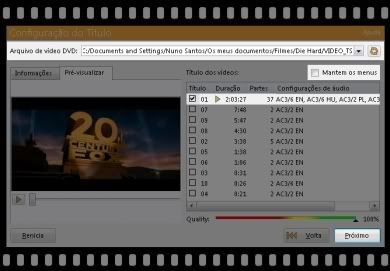
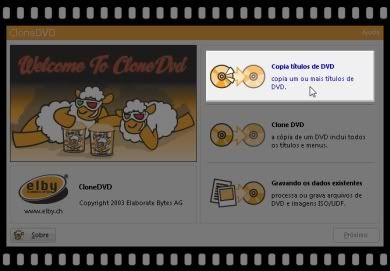 Next chose the folder where the files of DVD are kept. Certify that the option "Keep the menus" is not selected. In the list bellow, choose the title of the movie (it's the title with longer duration) and click "Next".
 In the next window just chose the "Audio language" that more pleases you and in "Language of subtitles" do not select anything, because we will put ours.
 Next chose the option "DVD files", indicate the folder where we want to keep the files and it's only click "Begin" and wait the process finishes.
 Now that we already have the movie separate from the original subtitles we'll convert him to AVI. Open 'DVD to AVI', press the button "Path" and indicate where are the files that we just made. Attention that the files has to be in a folder denominated "VIDEO_TS", or the 'DVD to AVI' won't open them.
 Now just chose "Title1" and indicate the destiny.
 This is a slow process, but it will resulte very nice. Now that we already downloaded the subs and, as usual, the subtitle file is in "SRT" format, we have to convert it to "SSA (Sub Station Alpha)." For that we open 'Subtitle Workshop', go to "File" -> "Load subtitle..." and chose the respective file.
 Just chose "Save as..." and indicate the format "SSA".
 Open 'VitualDub' and the AVI movie, than select "Video" -> "Filters..."
 Click "Add..."
 Indicate "Subtitler" at the list and "OK"
 Search the subtitle in "SSA" format, (leave the window just as it is shown in the illustration below) click "OK" in the two windows.
 Be certified that is selected "Full Processing Mode" in "Video" and that in Audio "Direct Stream Copy." Go to "File" -> "Save AVI...". When the process finished the movie will already have the built-in legends. Now, with any DVD Ripper (NERO for instance) we can burn the created image and record it in DVD (example in the top).
If this tutorial was useful, please, leave a comment.











Post a Comment